Apple has once again basked in the world spotlight when it announced yesterday not one, not two, but five new products. Apple’s much anticipated October 22 event in San Jose, California was supposed to be the venue where the well-leaked iPad mini and the 13-inch MacBook Pro were to be announced.

So it came as a surprise to the attendees of the event as well as to all the people watching the coverage in different parts of the world the announcement of three more products. The Mac Mini, the new iMac and the fourth generation iPad were also announced during the event. Yes, we understand that knowing the features and specs of 5 products in one event can be a little overwhelming. So the help you guys out, here’s a summary in case you’re planning to get one or more of these products these coming holiday season.


iMAC
Display
21.5-inch or 27-inch
Price
$1299-$1999
Processor
2.7GHz to 3.2GHz quad-core Intel Core i5 or i7 processor
Memory
8GB (two 4GB) of 1600MHz DDR3 memory
Storage
1TB
Graphics
NVIDIA GeForce  GT 640M - GT 675MX graphics processor 
Video and Camera
FaceTime HD camera
Simultaneously supports full native resolution on the built-in display and up to a 30-inch display (2560 by 1600 pixels) on an external display
Support for extended desktop and video mirroring modes
Audio
Stereo speakers
Dual microphones
Headphone port
Ports
SDXC card slot
Four USB 3 ports
Two Thunderbolt ports
Mini DisplayPort output with support for DVI, VGA, and dual-link DVI (adapters sold separately)
10/100/1000BASE-T Gigabit Ethernet (RJ-45 connector)
Input
Apple Wireless Keyboard
Magic Mouse
Magic Trackpad
Connectivity
802.11n Wi-Fi wireless networking, IEEE 802.11a/b/g 
Bluetooth 4.0 wireless technology
Operating System
Mac OS X Mountain Lion


4th GENERATION IPAD
Model
Wi-Fi or Wi-Fi + Cellular
Dimensions
Height: 9.50 inches (241.2 mm)
Width: 7.31 inches (185.7 mm)
Depth: 0.37 inch (9.4 mm)
Weight: 1.44 pounds (652 g)
Storage
16GB / 32GB / 64GB
Display
Retina Display
9.7-inch (diagonal) LED-backlit Multi-Touch display with IPS technology
2048-by-1536 resolution at 264 pixels per inch (ppi)
Fingerprint-resistant oleophobic coating
Chip
Dual-core A6X with quad-core graphics
FaceTime HD Camera
1.2MP photos
720p HD video
FaceTime video calling over Wi-Fi or cellular
Face detection
Backside illumination
Tap to control exposure for video or still images
Photo and video geotagging
iSight Camera
5MP photos
Autofocus
Face detection
Backside illumination
Five-element lens
Hybrid IR filter
ƒ/2.4 aperture
Tap to focus video or still images
Tap to control exposure for video or still images
Photo and video geotagging
Video Recording
1080p HD video recording
Video stabilization
Face detection
Tap to focus while recording
Backside illumination
Battery
Built-in 42.5-watt-hour rechargeable lithium-polymer battery
Up to 10 hours of surfing the web on Wi-Fi, watching video, or listening to music
Up to 9 hours of surfing the web using cellular data network (3G Model only)
Charging via power adapter or USB to computer system
I/O
Lightning connector
3.5-mm stereo headphone minijack
Built-in speaker
Microphone
Micro-SIM card tray (3G model only)
Sensors
Three-axis gyro
Accelerometer
Ambient light sensor


IPAD MINI
Model
Wi-Fi or Wi-Fi + Cellular
Dimensions
Height: 7.87 inches (200 mm)
Width: 5.3 inches (134.7 mm)
Depth: 0.28 inch (7.2 mm)
Weight: 0.68 pound (308 g)
Storage
16GB / 32GB / 64GB
Display
7.9-inch (diagonal) LED-backlit Multi-Touch display with IPS technology
1024-by-768 resolution at 163 pixels per inch (ppi)
Fingerprint-resistant oleophobic coating
Chip
Dual-core A5
FaceTime HD Camera
Same as Ipad 4th Gen
iSight Camera
Same as Ipad 4th Gen
Video Recording
Same as Ipad 4th Gen
Battery
Built-in 16.3-watt-hour rechargeable lithium-polymer battery
Up to 10 hours of surfing the web on Wi-Fi, watching video, or listening to music
Up to 9 hours of surfing the web using cellular data network (3G Model only)
Charging via power adapter or USB to computer system
I/O
Lightning connector
3.5-mm stereo headphone minijack
Built-in speaker
Microphone
Nano-SIM card tray (3G model only)
Sensors
Three-axis gyro
Accelerometer
Ambient light sensor


MAC MINI
Dimensions
Height: 1.4 inches (3.6 cm)
Width: 7.7 inches (19.7 cm)
Depth: 7.7 inches (19.7 cm)
Weight: 2.7 pounds (1.22 kg)
Price
$599
$799
Processor
2.5 GHz Intel Core i5 processor
2.3 GHz Intel Core i7 processor
Storage
500 GB Hard Drive
256 GB SSD or 1 TB Fusion Drive
Graphics
Intel HD Graphics 4000
Memory
4GB (1600 MHz DDR3)
Video Support
Thunderbolt digital video output
 Native Mini DisplayPort output
DVI output using Mini DisplayPort to DVI Adapter (sold separately)
VGA output using Mini DisplayPort to VGA Adapter (sold separately)
Dual-link DVI output using Mini DisplayPort to Dual-Link DVI Adapter (sold separately)
Audio
Audio line in minijack (digital/analog)
Audio line out/headphone minijack (digital/analog)
HDMI port supports multichannel audio output
Support for Apple iPhone headset with microphone
Built-in speaker
Ports
Thunderbolt port (up to 10 Gbps)
FireWire 800 port (up to 800 Mbps)
Four USB 3 ports (up to 5 Gbps)
HDMI port
SDXC card slot
Gigabit Ethernet port
Audio in/out
IR receiver
Connectivity
Wi-Fi 802.11 a/b/g/n
Bluetooth 4.0
Ethernet 10/100/1000BASE-T Ethernet (RJ-45 connector)
Operating System
OS X Mountain Lion


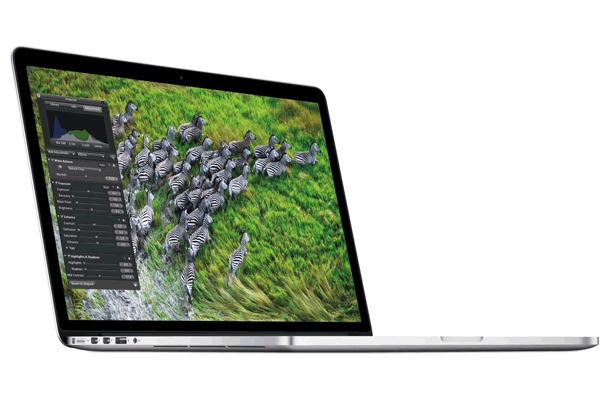
13- INCH MACBOOK PRO with RETINA DISPLAY
Display
Retina display: 13.3-inch (diagonal) LED-backlit display with IPS technology
2560-by-1600 native resolution at 227 pixels per inch with support for millions of colors
Scaled resolutions: 1680 by 1050, 1440 by 900, and 1024 by 640 pixels
Price
$1,699
$1,999
Processor
2.5GHz dual-core Intel Core i5 processor (Turbo Boost up to 3.1GHz) with 3MB shared L3 cache
Memory
8GB of 1600MHz DDR3L onboard memory
Storage
128 GB (Configurable to 256GB, 512GB, or 768GB flash storage)
256GB (Configurable to 512GB or 768GB flash storage)
Dimensions
Height: 0.75 inch (1.9 cm)
Width: 12.35 inches (31.4 cm)
Depth: 8.62 inches (21.9 cm)
Weight: 3.57 pounds (1.62 kg)
Graphics
Intel HD Graphics 4000
Video Connections
Dual display and video mirroring: Simultaneously supports full native resolution on the built-in display and up to 2560 by 1600 pixels on up to two external displays, at millions of colors
Native Mini DisplayPort output
DVI output using Mini DisplayPort to DVI Adapter (sold separately)
VGA output using Mini DisplayPort to VGA Adapter (sold separately)
Dual-link DVI output using Mini DisplayPort to Dual-Link DVI Adapter (sold separately)
Camera
720p FaceTime HD camera
Ports
MagSafe 2 power port
Two Thunderbolt ports (up to 10 Gbps)
Two USB 3 ports (up to 5 Gbps)
HDMI port
Headphone port
SDXC card slot
Apple Thunderbolt to FireWire Adapter (sold separately)
Apple Thunderbolt to Gigabit Ethernet Adapter (sold separately)
Wireless
802.11n Wi-Fi wireless networking, IEEE 802.11a/b/g compatible
Bluetooth 4.0 wireless technology
Audio
Stereo speakers
Dual microphones
Headphone port
Battery
Up to 7 hours wireless web
Up to 30 days standby time
Built-in 74-watt-hour lithium-polymer battery
60W MagSafe 2 Power Adapter with cable management system; MagSafe 2 power port


So which Apple product are you eyeing for Christmas? Tell us by leaving a comment below. You can also find TFL on Facebook, TwitterPinterest and Google Plus or if you're feeling patriotic, subscribe to The Filipino Lifestyle Blog for other Filipino lifestyle related stories.


If you’ve been a Windows user through most of your life, you’d probably have an entire desktop filled with icons and folders – something like this.


Mac users on the other hand have a different story.  Unlike Windows users, their desktops are usually organized and free of clutter. And this is not because Mac users have OCD or something, but rather it’s because of a very handy component of Mac OS that helps them be organized – the Mac OS dock.

Windows tried to imitate this feature with the Windows 7 Superbar but it doesn’t offer the same functionality and effect. Luckily, there are applications available on the internet that does the same job on Microsoft’s operating system. Here are three of the most popular software that you can choose from.

Rocketdock. Rocketdock is the only software in this bunch that can be fully downloaded for free. But it is no less powerful than the rest of the other products that we’ll be featuring in this post. For starters, it does offer the basic functionality that the Mac OS dock has. This includes:


  • Ability to minimized windows to the dock
  • Real-time window preview in Windows Vista and Seven
  • Simple Drag-and-drop interface
  • Running application indicators
  • Add fly-out menus
  • Support for PNG and ICO icons
  • Auto-hide and popup on mouse over

Aside from the features already stated, rocketdock also feature positioning and layering options, docklet support, Unicode compliance, a fully customizable UI and support for multiple languages.

Object dock.  Stardock’s object dock comes in two versions; a free version and a plus version that costs around $19.95. The free version offers the basic features you would want to find in a dock such as an easy drag-and-drop UI, indicators for running applications, ability to minimize windows to the dock, skinnable backgrounds & icons and support for docklets.


But if you decide to go and pay $20 for the plus version, you’ll get to experience additional features such as having tabbed docks, having multiple docks on your screen at once, system tray support, folder-view tabs and the ability to recolor the dock on the fly.

Nexus Dock. Just like the Object dock, Winstep’s Nexus dock is offered in two versions; a free version and an ultimate version that costs $24.95. The free version comes with the following features:

  • Ability to display running applications on the dock with task grouping, filtering and icon customization options
  • Blur-behind and colorization of dock backgrounds
  • Multi-monitor support
  • Live icon and background reflection and animation
  • Support for dock modules


The ultimate version of the Nexus dock has additional features compared to the free version. These include the following:

  • Ability to customize the system tray with high-res icons
  • Ability to add multiple docks on the screen at one
  • Add subdocks (similar to fly-out menus in object dock)
  • Duplicate, delete and disable/enable existing docks
  • One click theme switch with special themes tab on the shelf
  • Tabbed docks

And there you have it. Although these applications are just copies of the original Mac OS dock, they do function very similar to the original. So if you’re a windows user who have always wanted that nice looking dock only found on Mac OS, then pick one or more of these three software and you’re good to go.

It’s another Tuesday and that would only mean that there’s a new episode of Tech Tuesdays on TFL! Last week, we talked about the gaming console Ouya, the security breach that happened on Yahoo! and Formspring and an Nvidia event.


In this week’s episode, the news is all about three big IT companies and the different events that transpired within the past 7 days that are related to them. First on the list is Google.

GOOGLE

American search engine giant recently acquired Sparrow. For those who don’t know, Sparrow is an email client for Mac OS X and iOS that offers an intuitive and streamline user experience to Apple consumers. Originally meant as a minor project, Sparrow went on sale in the Mac App Store on February 9, 2011 and immediately became the top grossing paid app in less than one day.

On July 20, 2012, Dom Leca, Sparrow’s CEO, announced in the company’s website that they will be heading to Google to work with the Gmail team. She also said that even though they are going to help Google with Gmail, Sparrow will continue to offer and provide support to their existing customers from Apple devices.


Google hopes that through the acquisition of Sparrow, their Gmail app can be improved in iOS and Mac and possible improve it further on the PC and on Android. Unfortunately for Apple device users, the acquisition means that development of the app for iOS and Mac will eventually stop to make way for projects from Google.

YAHOO!

After the disastrous hacker attack last week on Yahoo! voices, the Sunnyvale, California-based internet company has got itself a new CEO – former Google executive Marissa Mayer.

Mayer will be at the helm of the internet company as it tries to bounce back from financial problems and internal turmoil brought about by thousands of lay-offs and failed attempts of the past four CEOs of the company.


According to a document from the Securities and Exchange Commission of the United States, 37 year old Mayer will be paid by Yahoo at an annual base rate of $1,000,000. She will also be eligible for an annual bonus under the Company’s executive incentive plan which will be at 200% of her base salary.

Furthermore, she will also be given $12 million worth of stocks (in grants and options) over the next three years and $14 million worth of restricted stocks to compensate for the money she would have gotten if she stayed with Google.  And on top of that, Yahoo will also give her an extra $30 million if she stays with the company for five years.

Not bad right, especially since she’s expecting a baby boy by October this year.

MICROSOFT

Steve Ballmer, Microsoft’s CEO, raised the curtains on the company’s latest update to its very popular suite of office applications – Microsoft Office.

Microsoft Office 2013 or MS Office 15, according to Ballmer will deliver unparalleled productivity and flexibility for both consumers and business customers.  The new suite, will sport the new Metro look and will be seamlessly integrated with the user interface of the upcoming Windows 8 operating system from Microsoft. It will also be touch-friendly, with support for tap to select and pinch-to-zoom functionality.


Also, it will reportedly be heavily dependent on Microsoft’s cloud service, with documents being saved by default to the cloud, allowing users access to content while on the go by using other devices like tablets and smartphones.

Office 15 will be shipped together with ARM-based windows 8 devices, which is scheduled to be released by October 2012. It will also be available as a stand-alone product, with pricing and availability to be announced.

And just like Windows 8, Office 15 is already available for download as a consumer preview via Microsoft’s website.

And that’s the latest updates on the tech world for this edition of Tech Tuesdays on TFL. Tune in again next week for your weekly dose of news, features and events in the tech industry. Also, please follow us on twitter and be a fan on Facebook. Thanks!

It’s Tuesday again and it’s again time for some Tech and Gadgets news from all around the globe.


This week, we’ll be talking about a major product launch for a very popular brand of laptops, a newcomer in the desktop and laptop computer market, a major turn in a world renowned brand and some local tech news on the side.

So let’s get the ball rollin’, shall we?

Leap. American TV manufacturer Vizio recently joined the PC wars and become the newest competitor in the personal computer market. The company has already announced in the past that they are planning to extend their reach beyond the LCD displays market by venturing into the PC arena. And last week, Vizio just announced their first batch of Windows powered machines.


Surprisingly, Vizio was able to produce an almost complete line of machines from AIOs (all-in-one), a notebook and even an ultrabook.  All models also pack Intel’s new Ivy Bridge core processors and of course the company’s signature LCD displays. The AIO model comes in either a 24 or 27 inch screen, 4GB or 8GB of RAM, 500GB or 1TB of HDD, a wireless keyboard, wireless keyboard, touchpad and a subwoofer to boost that bass when listening to music. The notebook, packs a 15.6 inch screen, a 500GB or 1TB HDD, Nvidia’s GeForce GT640M LE and at least 4GB of RAM. The ultrabook, on the other hand comes in either a 14 or a 15.6-inch screen, either a 128GB or 256GB solid state drive and configurable with a Core i3, i5 or i7 processor.

All models also come with HDMI outputs and inputs for mirroring the screen on a big-screen TV and for connecting other multimedia devices such as gaming consoles. Both the AIO and the notebook model have full HD displays with a native resolution of 1920x900 pixels while the ultrabook has a resolution of 1600x900 pixels.

Lay Offs. Finnish company Nokia has once again made headlines (but not in a good way) when it announced that they will lay off 10,000 employees including 3 key executives in its effort to sharpen its strategies. The man power reduction will be done due to factory closings in various parts of the globe including Canada, Germany and Finland. Furthermore, VP of mobile phones Mary McDowell, CMO Jerry Devard and VP of Markets Niklas Savander will also be leaving Nokia come June 30.

And to make matters worse for Nokia, their luxury subsidiary Vertu will soon belong to EQT VI for an undisclosed amount. EQT VI will be acquiring 90% of Verut’s shares will the remaining 10% will remain with Nokia. There have long been rumours about Nokia selling Vertu but it was only late last week that announcement of the acquisition was made and that it will happen in the second half of the year.

Launch. The biggest news of last week was Apple’s announcement of the newest incarnation of their mobile operating system and their top of the line laptop model.

A lot of rumours and speculations were already circulating in the internet about the new additions that will come with the release of iOS6 and it was only last week that all the rumours have been cleared. The good news is that a lot of the new features that majority of iOS users have missed and wanted in the past are now available with iOS6 like Facebook integration, an improved version of Siri, Facetime over cellular networks, a do not disturb functionality, improved accessibility extras, better privacy controls, improved voiceover and dictionaries, improved cameras and redesigned apps and stores.


In addition to these long awaited features, Apple has added a few improvements into the operating system such as a completely new maps application complete with turn-by-turn navigation, iCloud integration in Safari and an app called Passbook (an application that collects all your boarding passes, tickets, coupons, etc. and organizes them).

Aside from the launch of iOS6, Apple has also announced last week the latest update to their MacBook Pro line of laptops. The 15-inch model in particular received most of the updates; most notably it’s ultra-high-resolution anti-glare retina display with a resolution of 2880x1800 pixels and has a pixel density of 220ppi.

The new 15-inch MacBook Pro is around 0.71 inches thin and features praise worthy specs. The base model, which will retail for at least $2,199 will have an Intel quad-core i7 processor clocked at 2.3Ghz, 8GB of RAM, a Nvidia GeForce GT650M and a 256GB SSD. The top of the line model will feature up to 2.7Ghz core i7 processor, 16GB of RAM and a whopping 768GB solid state drive.

Sadly though, the new MacBook Pro ditches the optical drive in favour of two Thunderbolt ports. It also packs two USB 3.0 ports, a thinner Magsafe 2 power connector, HDMI port and SD card slot. Connectivity wise, it has the usual set of specs like Bluetooth 4.0 support, FaceTime HD camera, dual microphones and stereo speakers.

As for the rest of the MacBook Pro crew, their chassis and displays will remain unchanged although they will be receiving the Intel treatment as their processors will be upgraded to the latest Ivy Bridge core processors from Intel.

Local News. In local news, German audio equipment manufacturer Sennheiser has recently opened its first concept store in Greenhills’s’ Vmall. According to the company’s executives who flew in during the launch said that the company will be continually expanding their presence here in the Philippines by building more concept stores in malls and extending their reach into other cities.


This is good news for audiophile Pinoys as the new concept store and Sennheiser’s plan to expand in the country means that consumers will now enjoy the full line of Sennheiser products. These include specialized audio products for travel, sports, communications and street use.

And that concludes this week’s episode of Tech Tuesdays. Until next week!

Again, if you have any comments and suggestions, please do leave a message in the comment box below.

Sources: Mashable, GSMArena, Cnet Asia and Interaksyon

About TFL

The Filipino Lifestyle is a team of young and hip professionals with a passion for sharing their insights on topics various about technology, gadgets, travel, food, beauty and fashion with the rest of the online world. The team’s unique mix of hobbies and interest allows The Filipino Lifestyle Blog to be a rich source of information for its readers that is both fun and interesting to read.

Like us on Facebook

2012-2015 © The Filipino Lifestyle
Planer theme
Powered by Jasper Roberts Consulting - Widget